
Industry: Nutrition & Health
Responsive Web Application
UX Designer
Vita is a data-driven responsive web platform that helps users learn about vitamins and minerals that come from natural sources. I was the Lead UX Designer and a Project Manager on this project.

OVERVIEW
Project Information
Duration:
12 weeks
My role:
Project Manager & UX Designer
Team size:
3 Developers & 3 Designers
Platform:
Data-driven Web Application
Problem
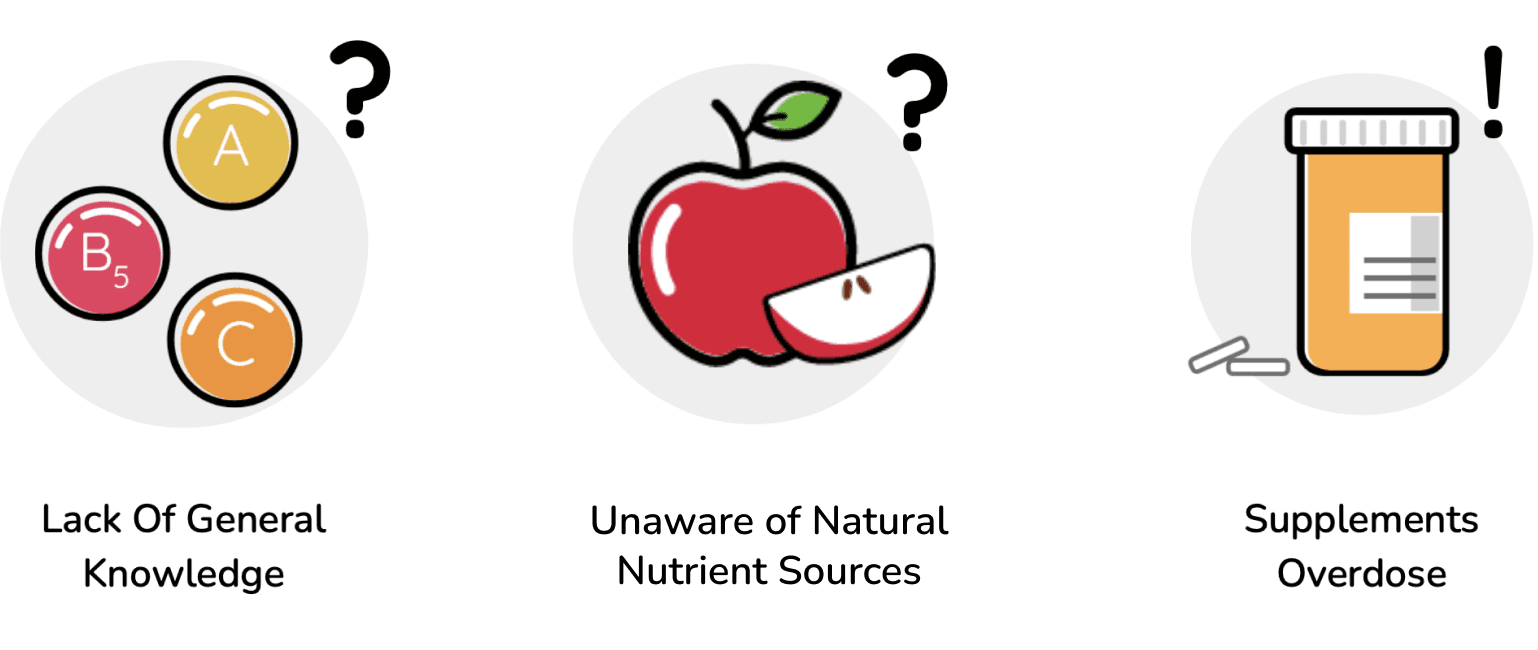
Vitamins and minerals are vital for our health but understanding which vitamins and minerals are the most beneficial can sometimes be unclear. It is also difficult to know which natural food items have the nutrients humans specifically need in their diet, and relying too much on supplements can not only be expensive but can lead to problems related to vitamin overdose.
Solution
A user-friendly platform that will give easy-to-digest information to people about nutrients in vegetables and fruits. The platform will have nutrient calculators to get customized suggestions of fruits and vegetables that can help the users’ diet based on the information they will input. Unlike other typical nutrient apps showing calorie needs and meal plans, Vita focuses on how users can use fruits and vegetables to help improve their health.
Project Management
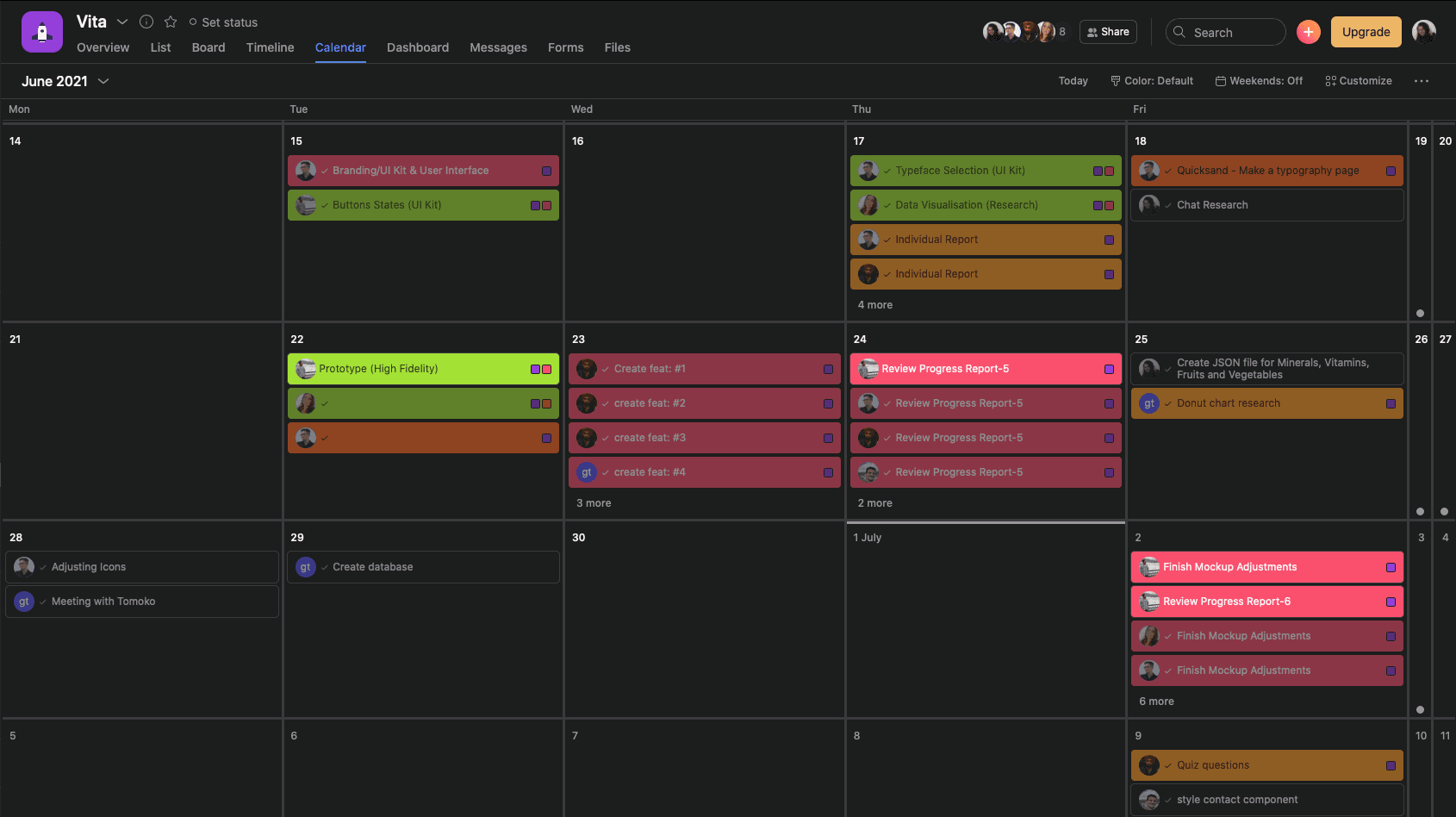
For project management, we used Asana. After each team meeting, I was responsible for assigning tasks for each team member. For each task, I wrote a short explanation and provided a checklist to make sure nothing is missing. I have color-coded different teams and added tags so that it was easier to filter the tasks. Overall, it was good to have a platform that would serve as a source of truth about what work was done, is in progress, and needs to be done.
RESEARCH
Competitor Analysis
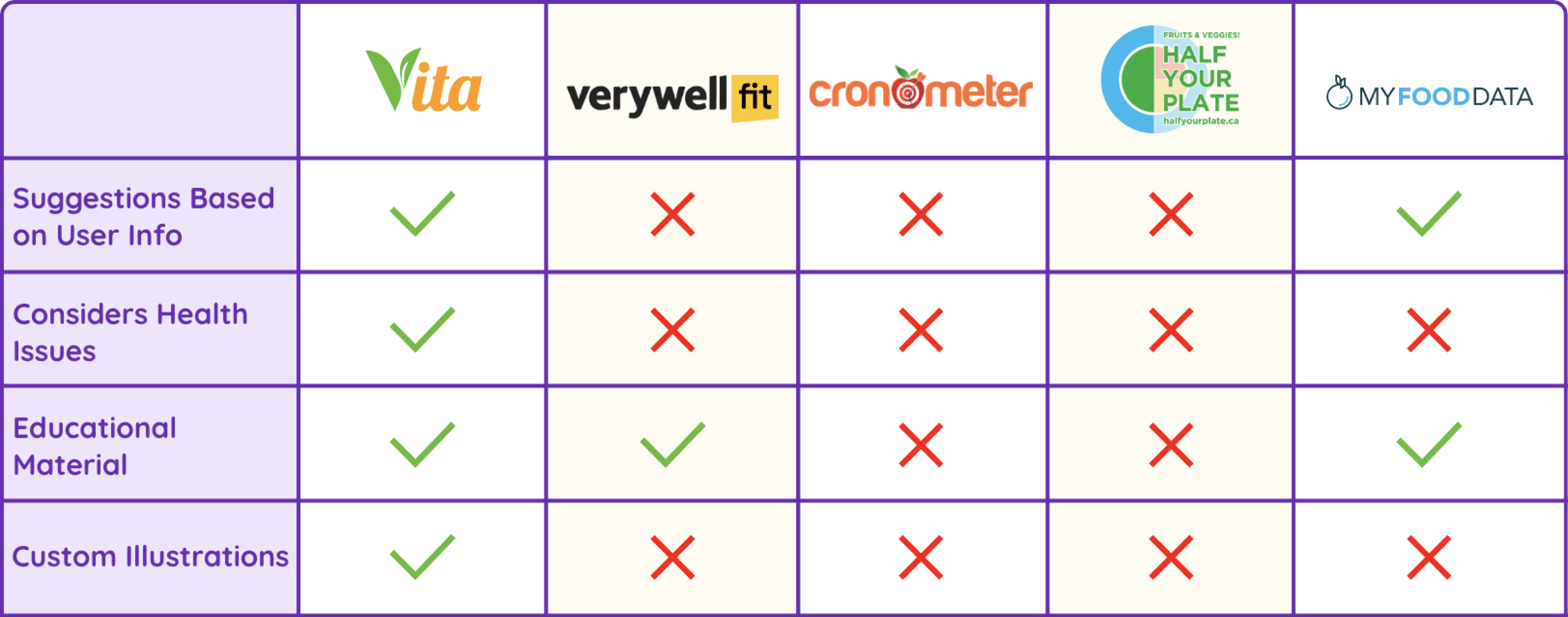
Our team researched what other applications are on the market to understand where the gap is. Our competitors did not have a user-friendly UI, and most of them did not have an option to input personalized information and get recommendations.
Primary Users


DEFINE
User Flow
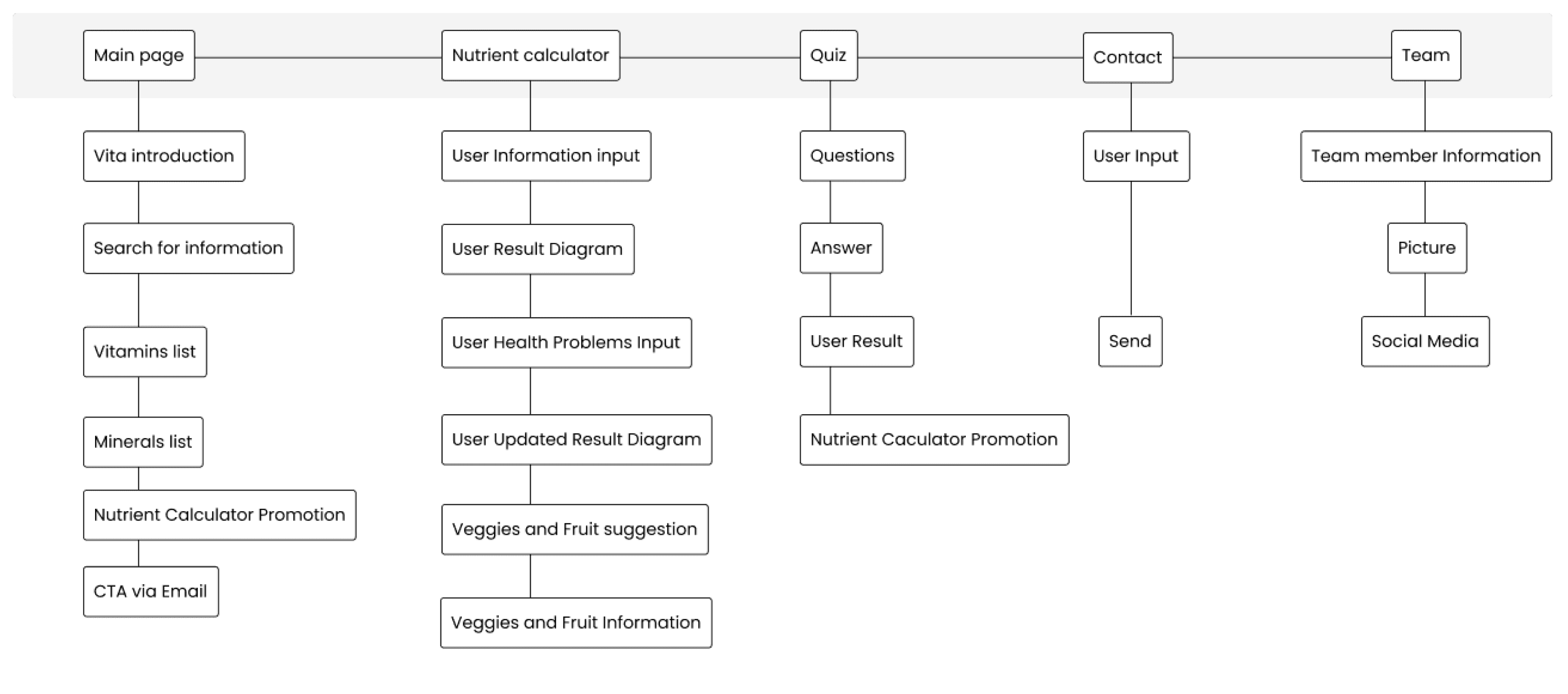
User flow helped us define what features we would have in our application. Initially, we had more features planned, but due to time constraints and development capabilities, we had to descope some of them.
design
Mobile First - Home Page
Our team adopted a mobile-first approach because it encourages simplicity and efficiency in design. Since our website is expected to be primarily accessed via mobile phones, designing for mobile devices first ensures that we prioritize the user experience for the majority of our users. Additionally, starting with the mobile layout presents a valuable challenge, as optimizing for smaller screens requires careful consideration of content and functionality. Once we defined the layout for mobile phones, transitioning to desktop was relatively straightforward and quick to implement, as we already had a clear understanding of the core features and content hierarchy. This approach not only ensures a better experience for mobile users but also facilitates smoother development across all devices.
1.1 Home Page - Wireframe

2.1 Fruit Result - Wireframe

1.2 Home Page - Mockup

2.2 Fruit Result - Mockup

Feature 1: Nutrient Calculator
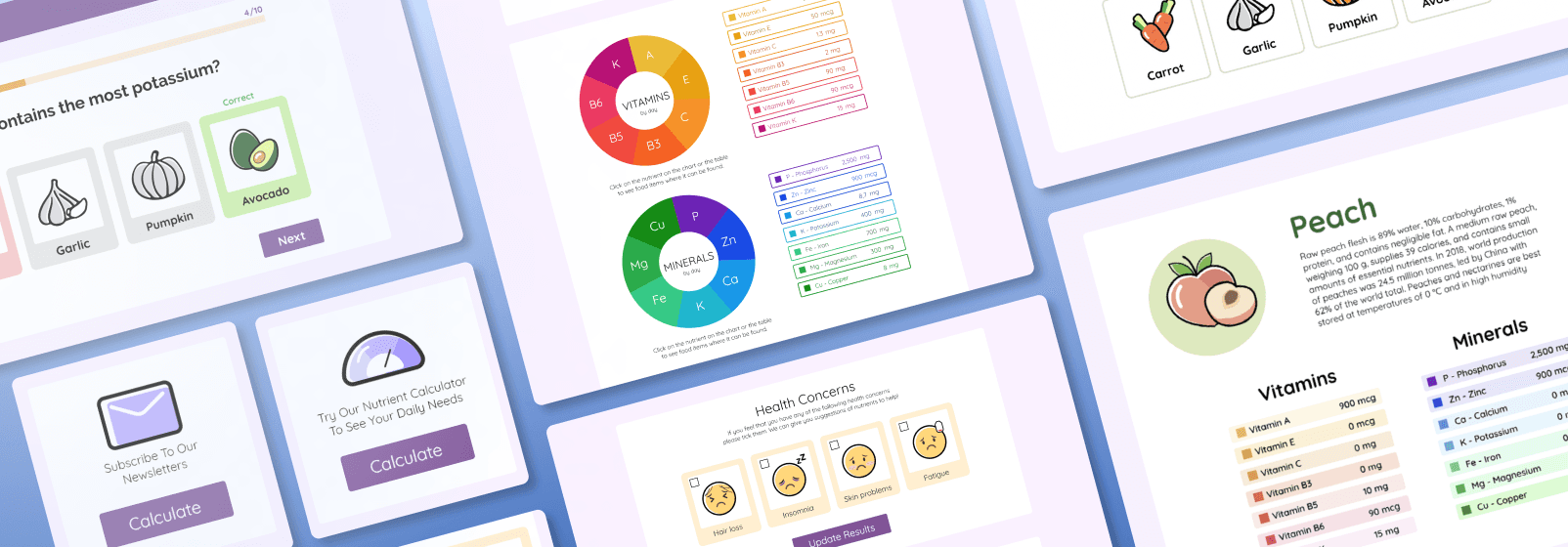
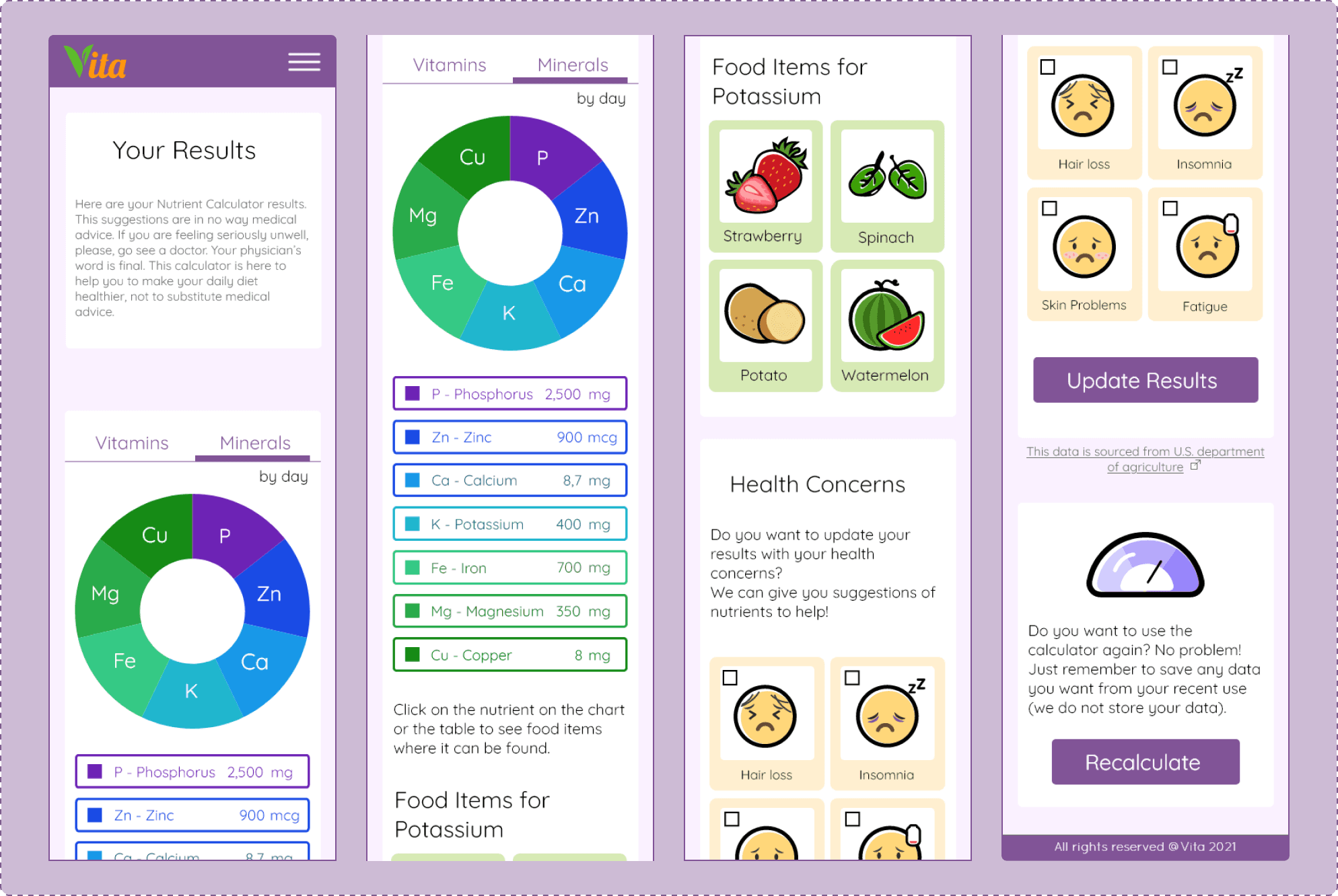
I worked on the nutrient calculator feature, where users input their information: weight, age, height, and health concerns. The platform then provides recommendations on which fruits and vegetables to eat, as well as daily requirements tailored to the user's profile. One of the biggest challenges we faced with this feature was the complexity of the data. Please refer to the "Nutrient Calculator Changes" section for more details.
3.1 Nutrient Calculator - Wireframe

3.3 Nutrient Calculator - Mock up
Desktop - Home Page
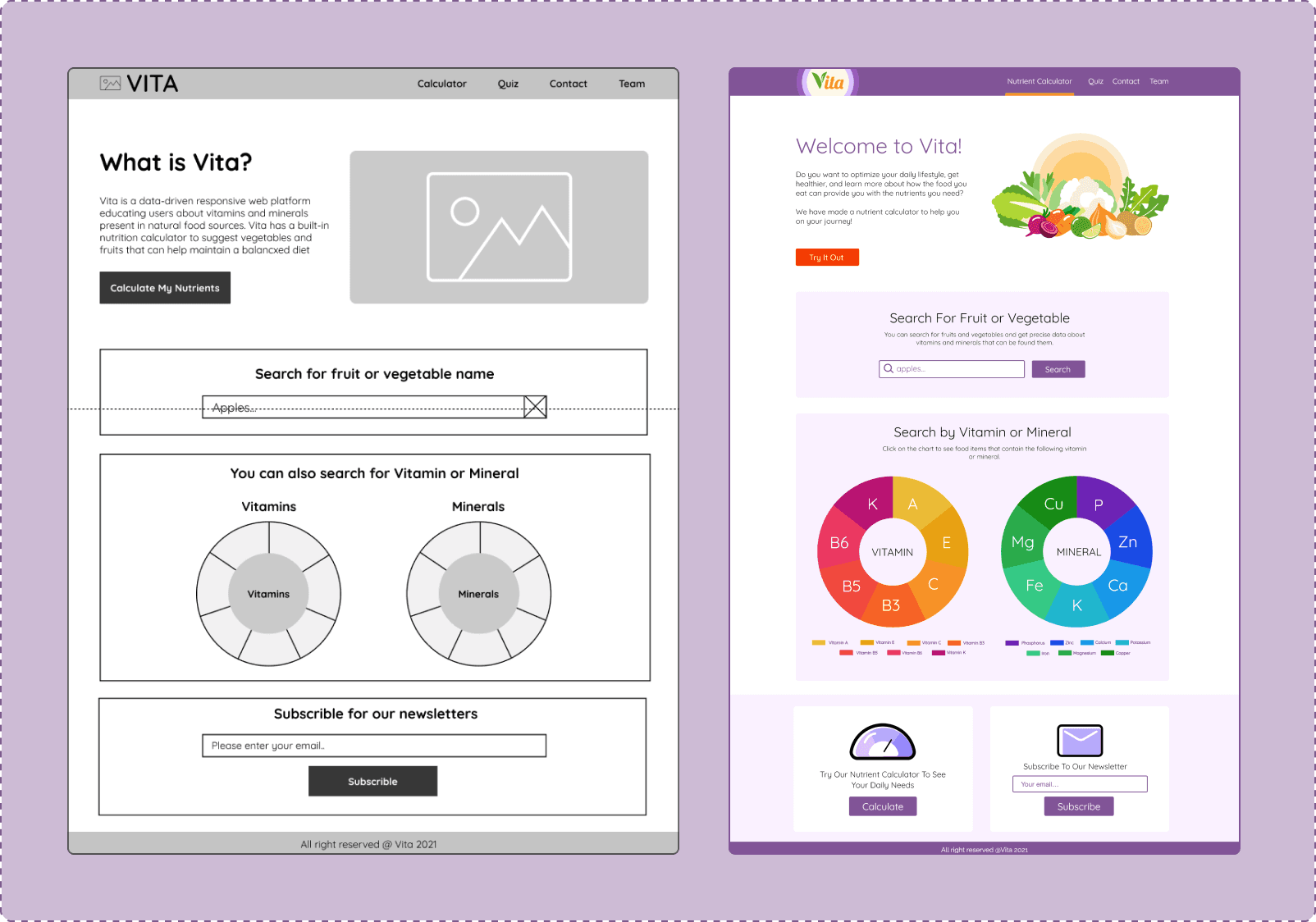
The homepage consists of three main sections:
Search by Fruit or Vegetable Name
Search by Vitamin or Mineral Name
Subscribe to Newsletters
For the fruit and vegetable search feature, our team scraped data from an open-source website and developed our custom API. We enriched this data with our own illustrations and short descriptions to enhance user experience.
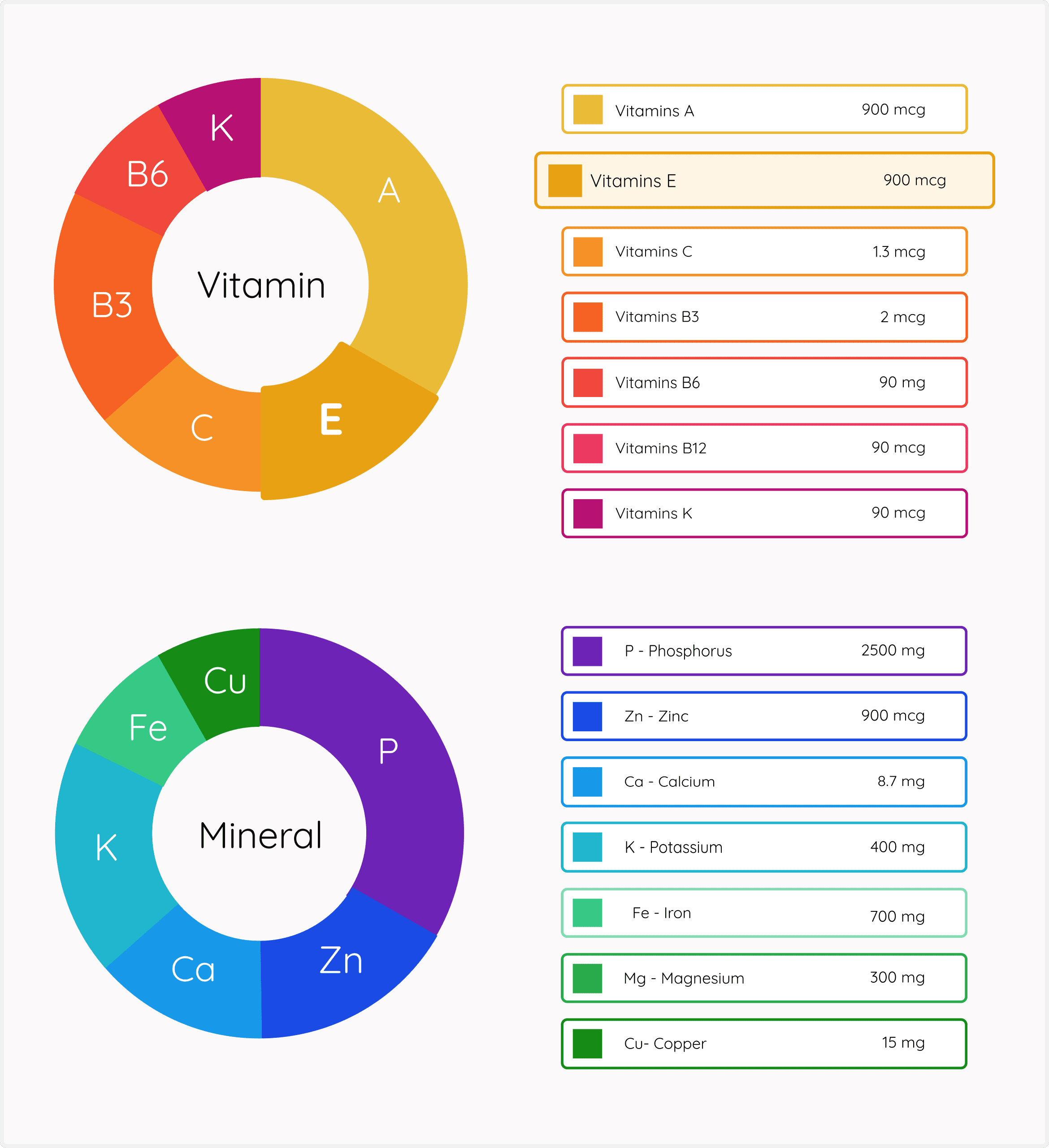
In the section dedicated to searching by vitamin or mineral name, each nutrient is visually represented on a doughnut chart. This visualization helps signify the importance of these vitamins and minerals as part of a balanced diet, providing users with a quick and intuitive way to understand their nutritional value.
1.3 Home Page - Desktop
Feature 2: Single Fruit/Vegetable View
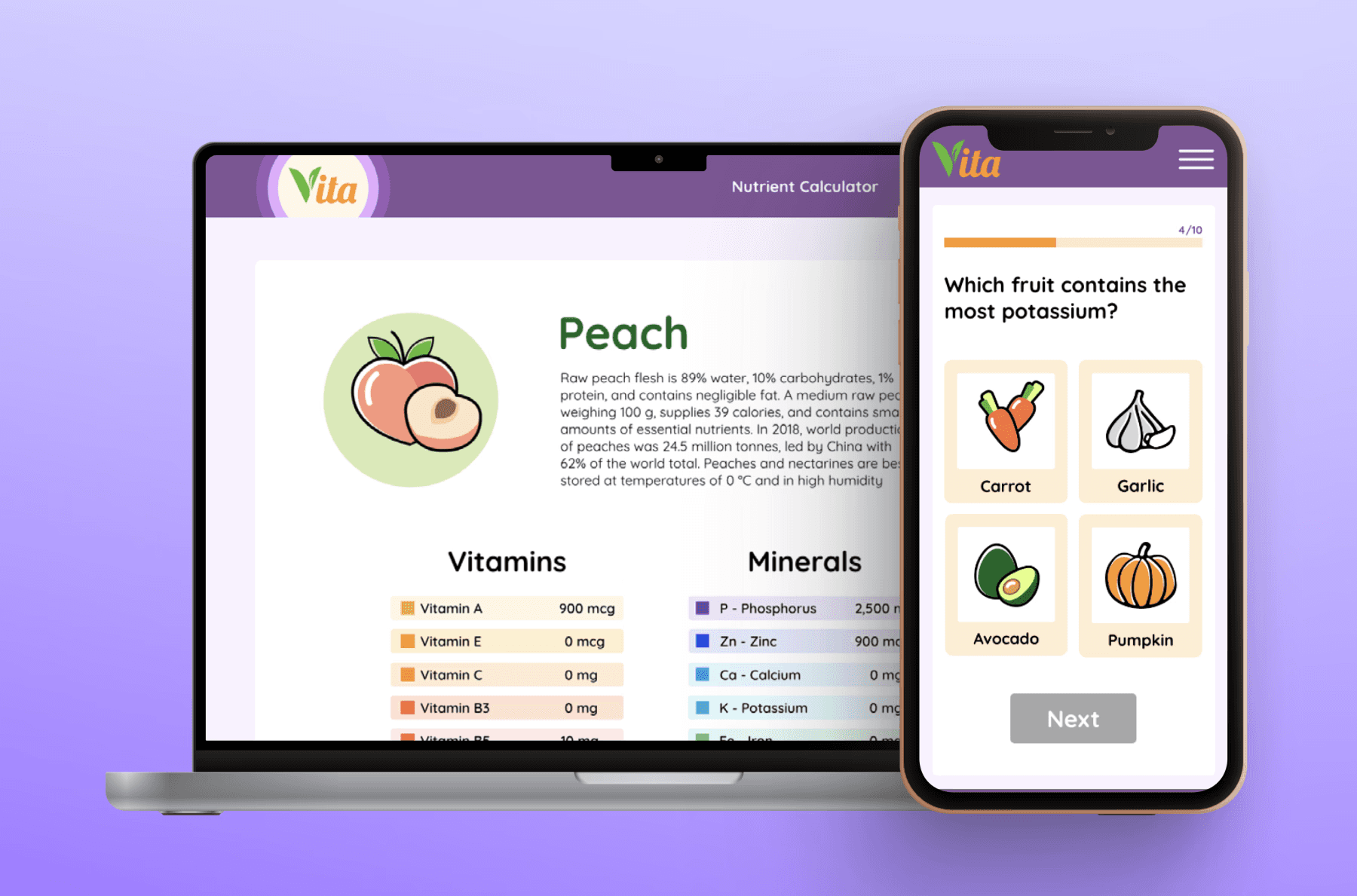
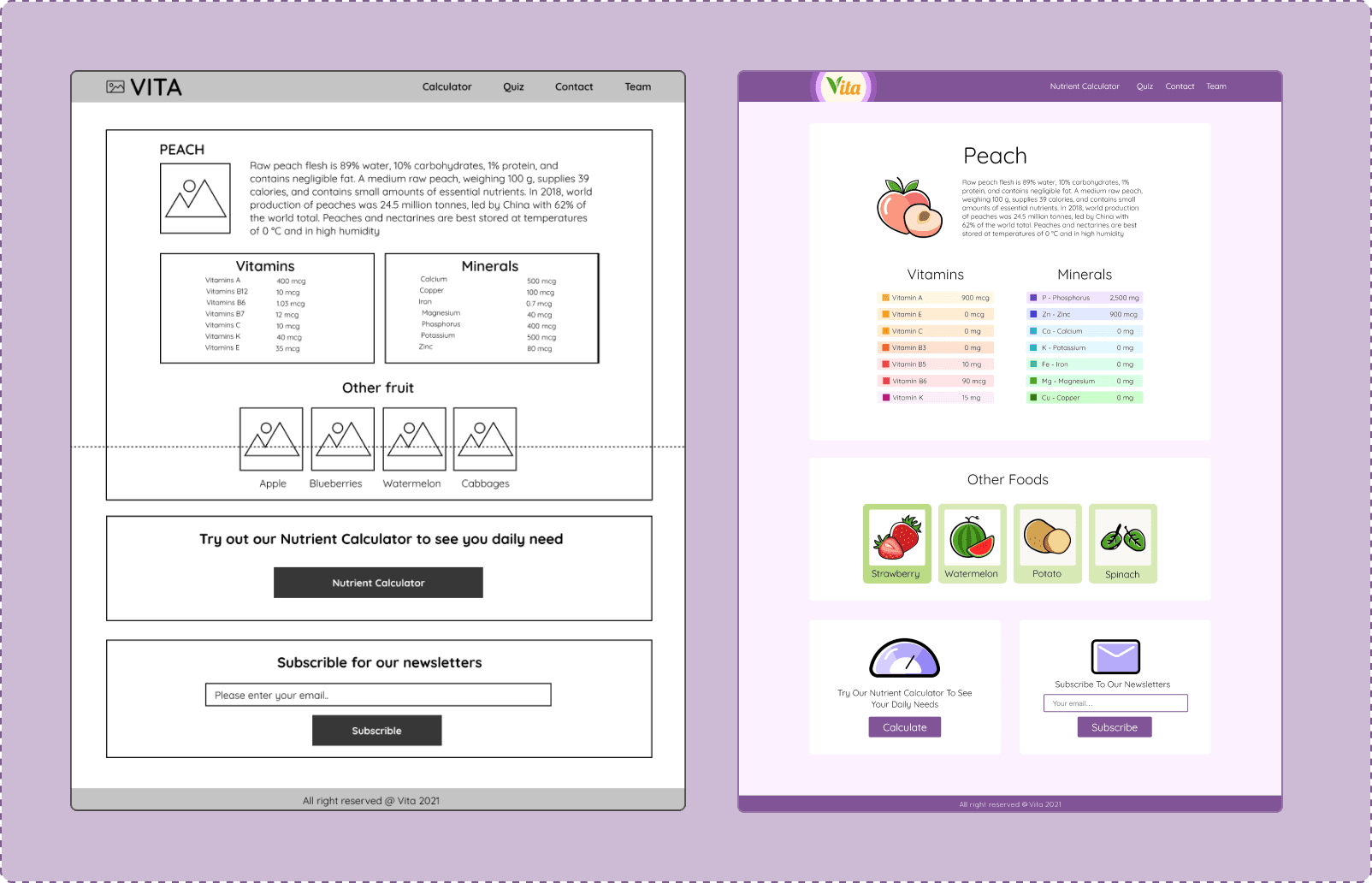
This feature provides users with a detailed view of a single fruit or vegetable, including information about the vitamins and minerals present in that food item. Due to time constraints, we decided to limit the number of fruits and vegetables available in the Minimum Viable Product (MVP) to ensure that our results are of high quality.
2.3 Fruit Result - Desktop
Quiz - Enhance your knowledge about nutrients
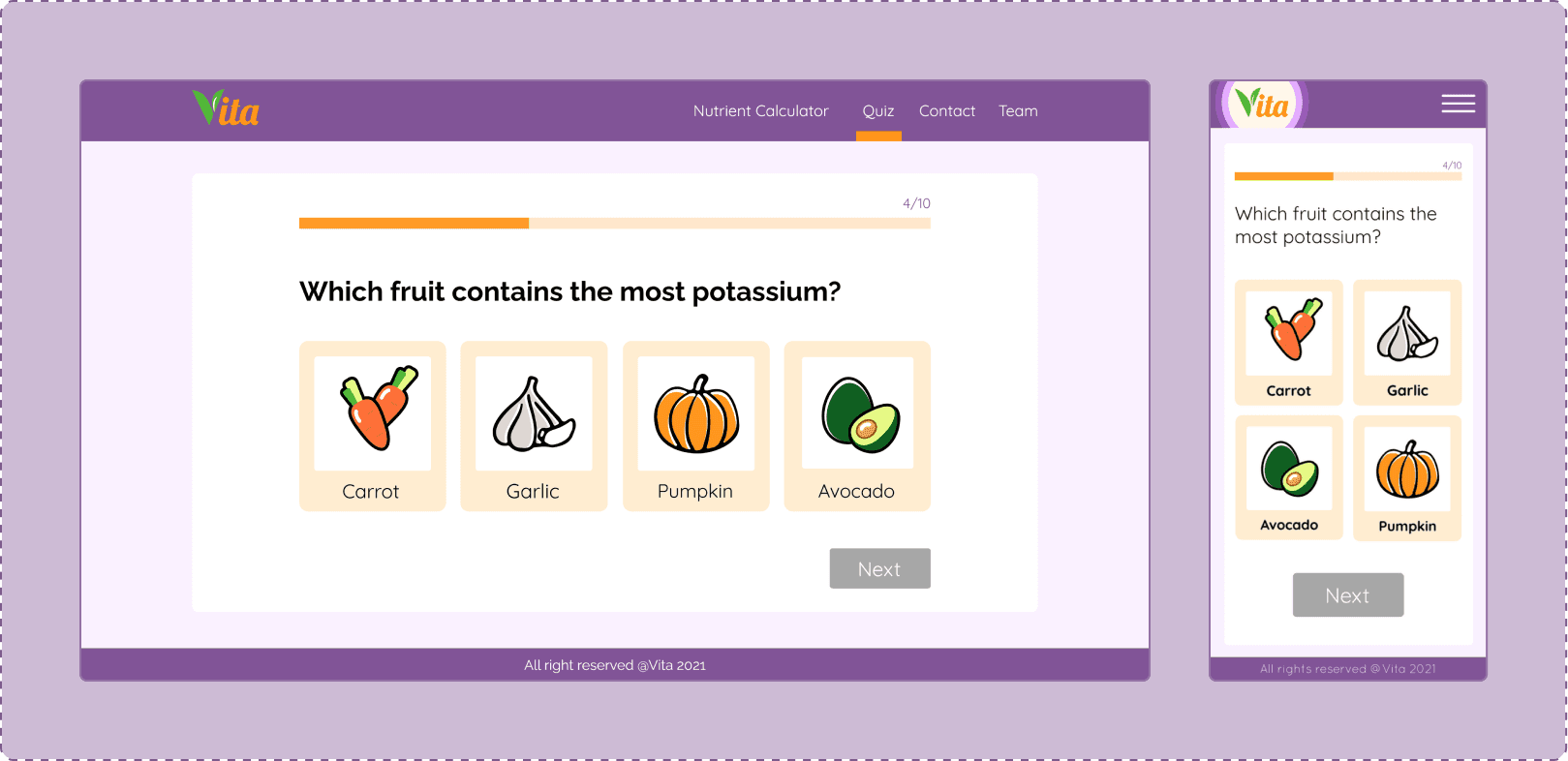
One of the features our team had in scope is a quiz where users can test their knowledge about nutrients. During an informational interview with one of our users, they pointed out that learning through gamification is a great way to keep users engaged. This feedback influenced our decision to include a quiz feature in our platform.
CHALLENGE
Data Visualization - Challenge
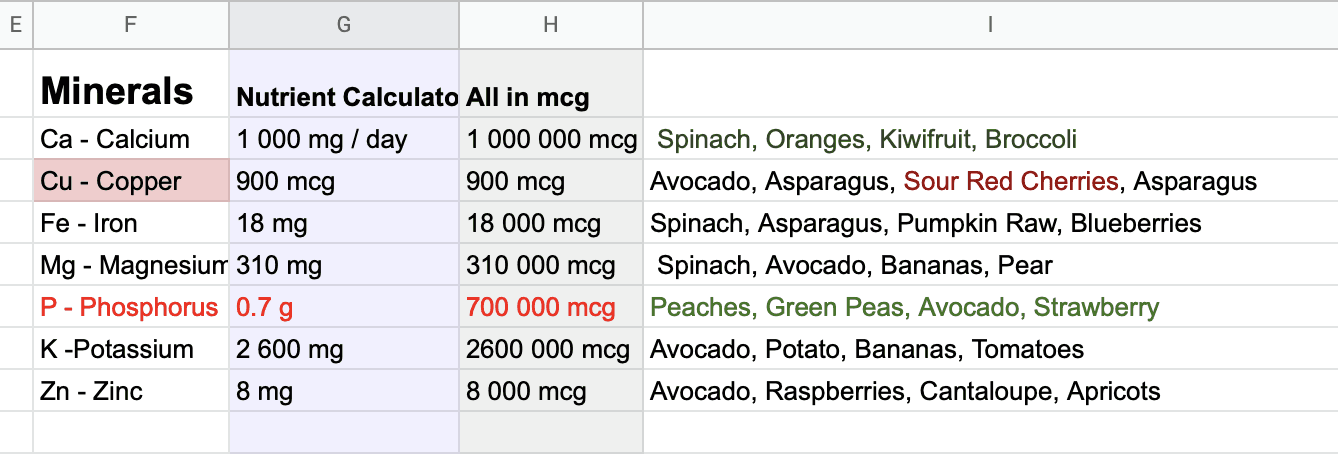
One of the biggest challenges we faced was determining how to effectively display the results for vitamins and minerals. The range of numbers varied widely, making it difficult to present them cohesively on a chart. For example, Copper might be 900 mcg while Calcium could be 1,000,000 mcg. Such diverse data made it challenging to create a visually appealing and user-friendly chart.
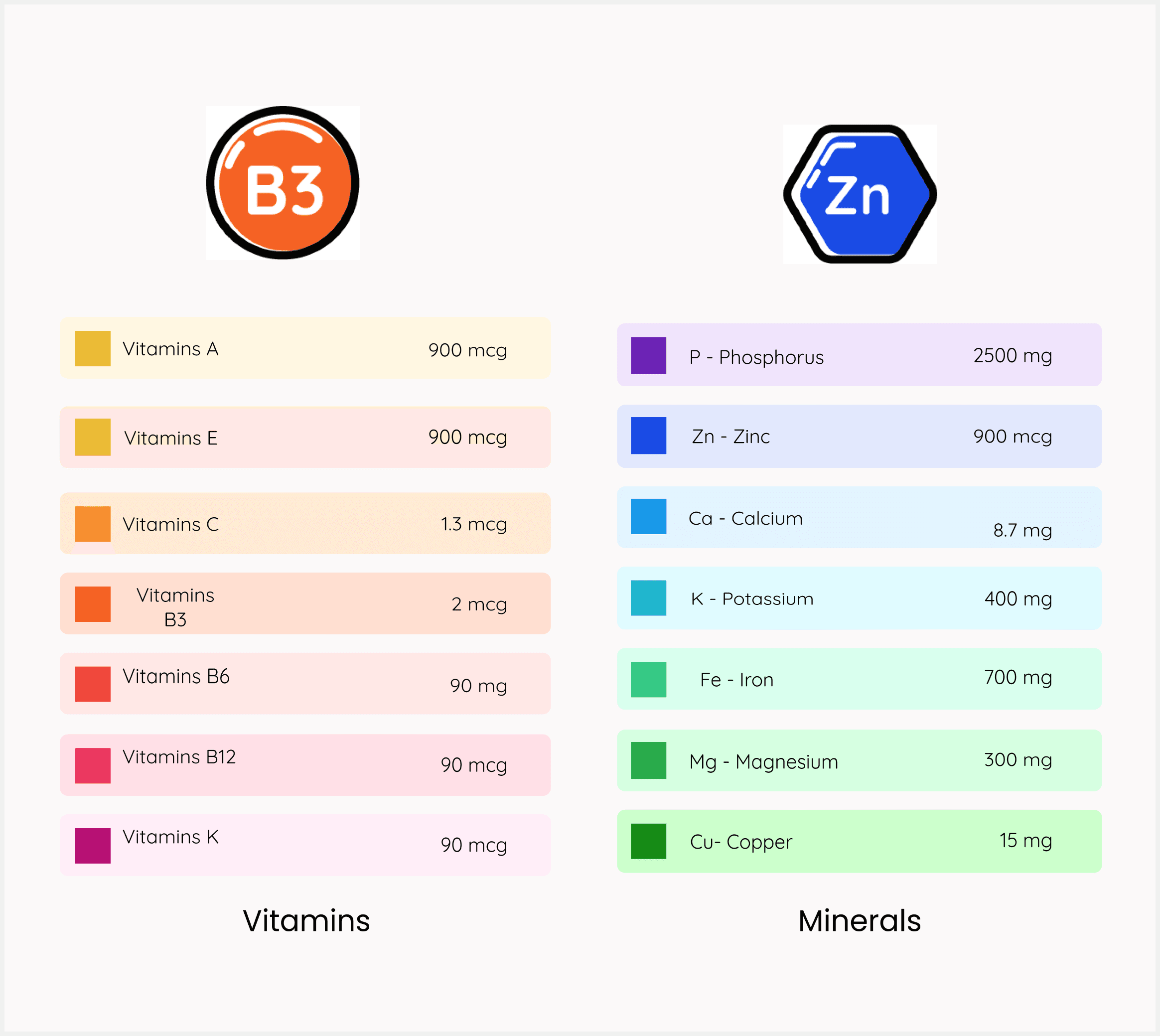
To address this issue, we decided to remove vitamins and minerals with very small numbers from the chart but retain them in the table format. This approach allowed us to maintain clarity and usability while still providing comprehensive information to users.
UI DESIGN
Data Visualization
A doughnut chart was utilized to visually represent the recommended daily intake of vitamins and minerals. Users can interact with the chart by clicking on specific sections to learn more about the selected vitamins.
Custom Illustrations
To enhance the user experience, custom illustrations were created, adding an element of excitement and engagement to the platform.

DEVELOP
System Architecture
Our frontend is built using modern technologies such as ReactJS for dynamic user interfaces, Sass for efficient styling, and Nivo charts for data visualization. On the backend, we leverage Node.js to interact with MongoDB, utilizing Express.js to expose endpoints for accessing various datasets.
The entire application, comprising both frontend and backend components, is hosted on AWS (Amazon Web Services), ensuring scalability, reliability, and performance.
To acquire data from third-party websites, we employ a web scraper written in Python. This scraper retrieves the required datasets, which are then passed to the Node.js backend. Subsequently, the data is transferred to the React module on the frontend for display to users. This architecture allows for seamless integration of external data sources while maintaining a robust and efficient system.

RETROSPECTIVE
What went well
The project journey was enjoyable and team communication was good.
Meetings became more efficient when time was spend on preparation.
We mastered the art of providing constructive feedback, transitioning from initial apprehension to delivering it professionally and concisely.
What can be improved
Unfortunately, user research was overlooked due to time constraints, limiting our insights.
Only two users were involved in user testing, resulting in insufficient feedback.